


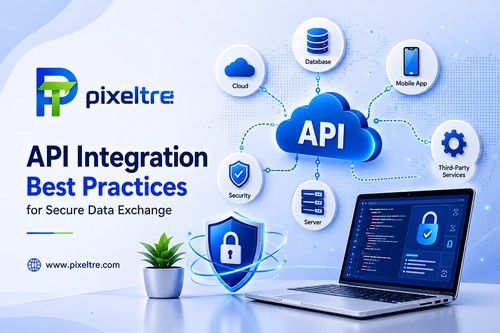
Every time your CRM talks to your website, your payment gateway talks to your store, or your accounting software syncs with your bank that's an API integration. And every one of those conversations is a potential security hole if it isn't built properly.
In 2026, API-related breaches are among the most common causes of data leaks in small and mid-size businesses. The good news: most vulnerabilities are completely preventable. Here are the API integration best practices worth building into every project.
1. Use Strong Authentication and Authorization, Every Time
Authentication asks who you are; authorization decides what you're allowed to do. Both are non-negotiable:
- Prefer OAuth 2.0 for user-facing access, with short-lived access tokens and refresh tokens.
- Use API keys only for service-to-service integrations, stored server-side never hardcoded in your code or committed to repositories.
- Rotate secrets regularly and revoke them immediately if you suspect a leak.
- Apply least privilege: each integration should only reach the specific endpoints it actually needs.
2. Encrypt Everything in Transit and at Rest
Data is vulnerable at two moments while moving and while stored.
- Always use HTTPS/TLS 1.2+, with no exceptions even for internal integrations.
- Encrypt sensitive payloads at rest in databases and caches.
- Never pass secrets in URLs or query strings they end up in logs, proxies, and browser history. Use headers or the request body.
- For highly sensitive data, add field-level encryption at the application layer.
3. Validate and Sanitize All Inputs and Outputs
Never trust data just because it came from a trusted-looking API.
- Validate every request schema, types, lengths, and ranges and reject anything out of bounds.
- Sanitize outputs before they reach your UI to prevent injection attacks, including stored XSS.
- Use allowlists over denylists for file types, characters, and acceptable values.
- Treat every external API as untrusted until proven otherwise.
4. Implement Production-Grade Rate Limiting and Throttling
Rate limiting protects your API and the integrations built on it.
- Set per-client rate limits so one misbehaving integration can't take down your system.
- Return standard 429 (Too Many Requests) responses with `Retry-After` headers so clients can back off gracefully.
- Add circuit breakers when a downstream API is failing, fail fast instead of piling up requests.
- Use retries with exponential backoff and jitter to avoid thundering-herd failures.
5. Build Logging, Monitoring, and Alerting From Day One
You can't secure what you can't see.
- Log every API call timestamp, client, endpoint, status code, and latency. Never log secrets or sensitive payloads.
- Monitor for anomalies: unusual traffic spikes, repeated authorization failures, or unexpected payload sizes.
- Alert on suspicious patterns brute-force attempts, token misuse, or access from unexpected locations.
- Maintain API tracing (e.g., OpenTelemetry) so you can follow a single request across multiple services.
6. Version Your API Right From the Start
Breaking changes are the most common cause of broken, insecure integrations.
- Version your API in the URL (`/v1/`, `/v2/`) or headers from the very first release.
- Keep backward compatibility deprecate, then remove, never break silently.
- Give clients a deprecation notice and a timeline before removing endpoints.
- Document versioning clearly in your API docs so integrators know what they're relying on.
7. Write Complete, Accurate API Documentation
A secure integration depends on integrators using your API correctly.
- Document every endpoint, parameter, error code, and example.
- Show real authentication flows how to get tokens, refresh them, and handle expiry.
- Publish security guidance: which headers, which scopes, and what to never do.
- Keep docs in sync with the code, or your integrators will guess and guessing causes security mistakes.
8. Handle Errors Gracefully and Without Leaking Information
Error messages can become reconnaissance tools for attackers.
- Don't reveal internals no stack traces, SQL queries, or framework details in responses.
- Use standard, consistent error formats (e.g., RFC 7807 problem details) with clear error codes.
- Log the full technical detail server-side, while the client gets a safe, generic message.
- Be equally careful with 401 vs 403 and other status codes, so you don't accidentally leak whether a resource exists.
9. Follow an API Security Testing and Review Cadence
Security is an ongoing process, not a one-time checkbox.
- Test deliberately: run authorization tests, boundary checks, and injection attempts before every release.
- Scan dependencies for known vulnerabilities in your API framework and libraries.
- Review access control whenever the data model changes new fields often bring new privileges.
- Consider an independent penetration test before launching any integration that handles sensitive customer data.
10. Have a Breach and Recovery Plan Ready
Even with all the above, prepare for the worst-case scenario.
- Define who revokes what and how when unusual activity is detected.
- Practice rotating every credential quickly in a real incident.
- Pre-write a notification process for affected customers and regulators if the data involves personal information.
- Keep backups and a rollback path for both your data and your integration code.
A Simple Security Checklist for Any New Integration
Run through this before you cut over to production:
- TLS everywhere, no secrets in code or URLs.
- OAuth/keys with least-privilege scopes applied.
- Input validation and output sanitization in place.
- Rate limits, retries, and circuit breakers configured.
- Logging, monitoring, and alerts live for this integration.
- Clean error messages that never leak internals.
- API versioned and documented.
- A recovery plan if something goes wrong.
The Bottom Line
API integration is where business efficiency and security risk meet. The companies that treat APIs as first-class security surfaces with authentication, encryption, validation, monitoring, and testing prevent the vast majority of data breaches before they happen. Skip these practices to ship faster today, and you'll pay for it with a breach, a broken system, or a painful refactor tomorrow. Secure by design is the only cost-effective way to integrate.
Building or fixing an API integration? A structured security review covering authentication, rate limiting, error handling, and monitoring catches the issues most teams discover only after something goes wrong. It's a small investment compared to the cost of a breached customer database.